Xgrow
Follow this step-by-step guide to integrate your sales flow with the Mentorfy delivery flow using Xgrow.
Before configuring the webhook, create an Entry URL in Mentorfy. This URL defines which products, categories, or classes will be unlocked when Xgrow confirms a purchase.
-
In Mentorfy, go to Integrations > Entry and click + New URL.
-
Fill in the URL with a descriptive name, select Xgrow as the payment gateway, and choose the products and/or categories to be unlocked. Then click Create and copy the generated URL.
See the full step-by-step guide at How to create an Entry URL.
Configuring the Xgrow platform
- Log in to your Xgrow account and access your platform
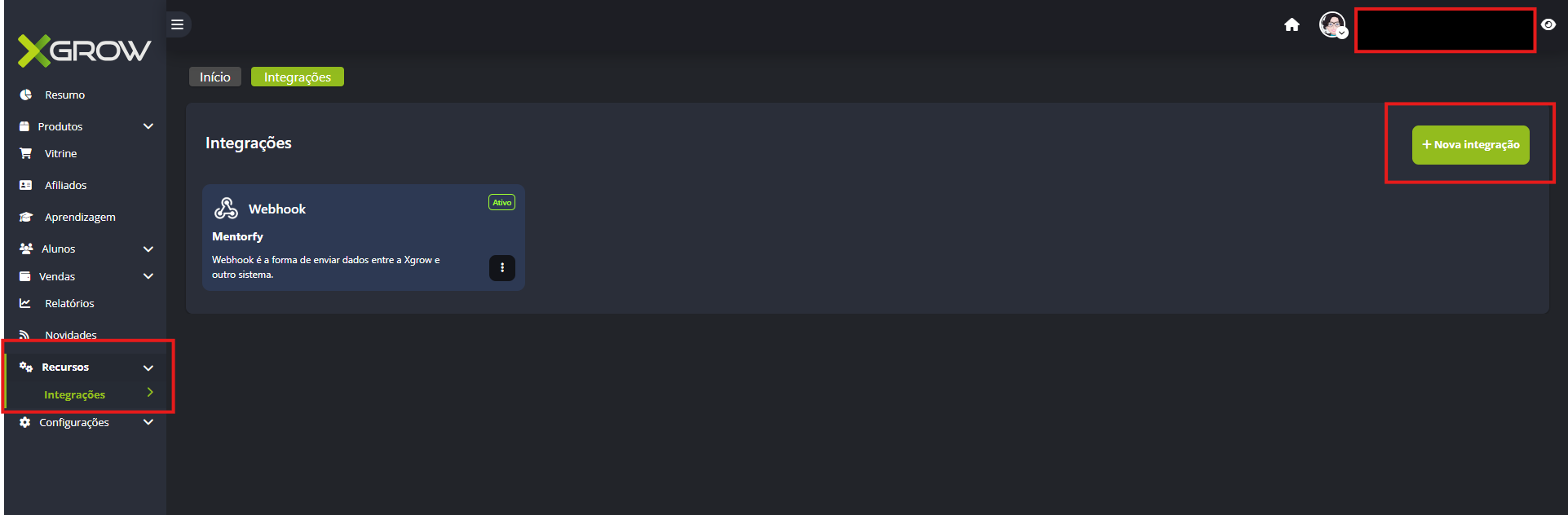
Navigate to Resources > Integrations > New integration.
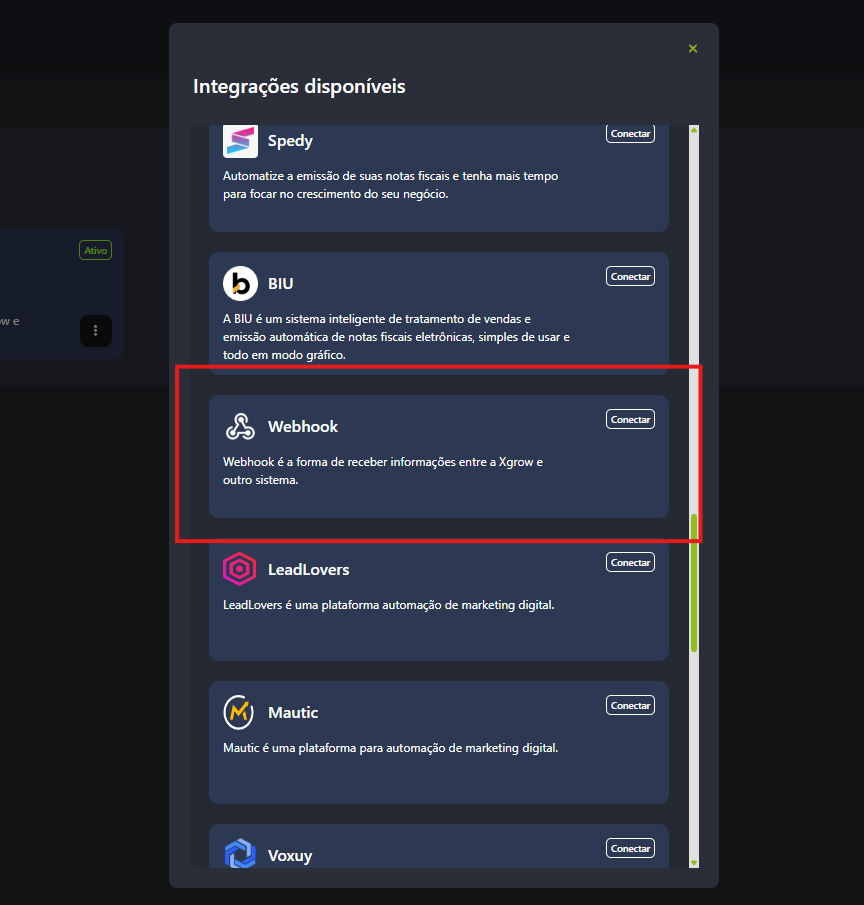
- Select the Webhook option.
- Fill in the information as follows:
- Integration name: Identification of the product you are configuring
- Webhook URL: paste the Entry URL you copied from Mentorfy, as per step 2 above
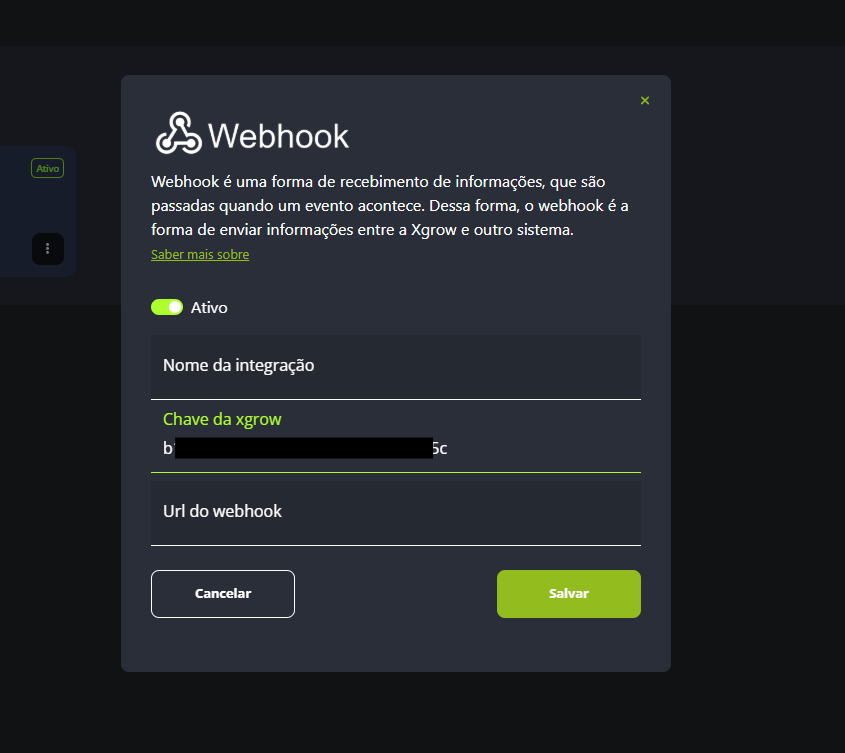
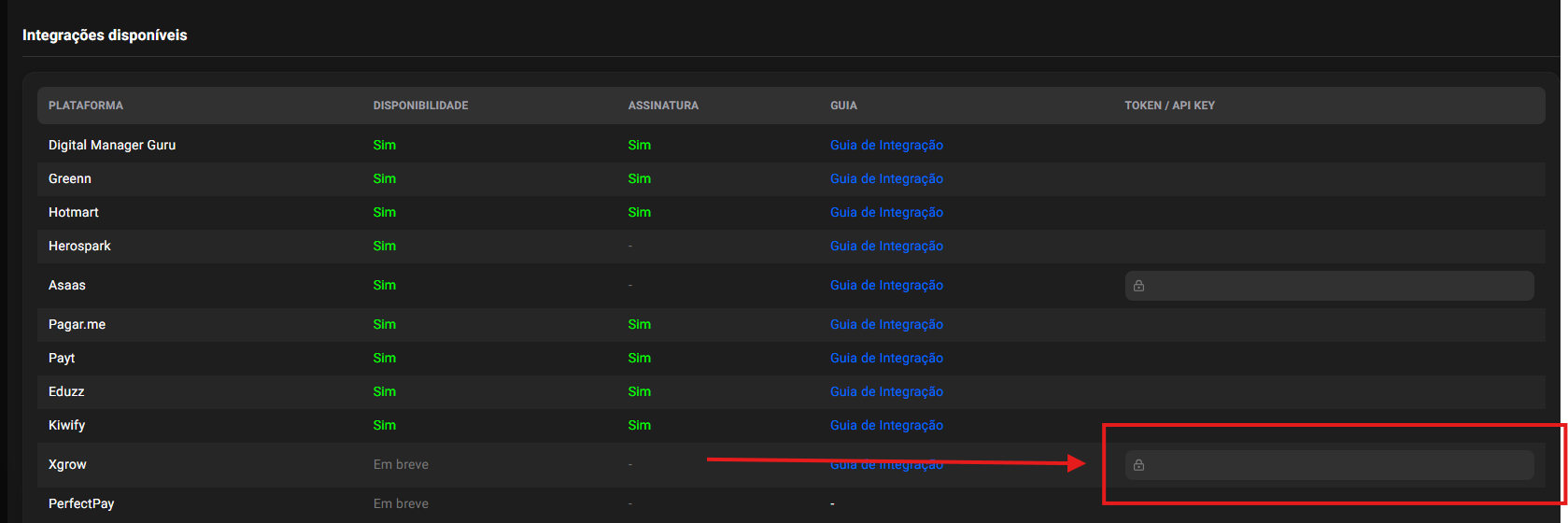
- Xgrow key: this is the code/token you must register in Mentorfy under Integrations > Keys, linking it to the Xgrow platform. After entering the key, save the configuration.
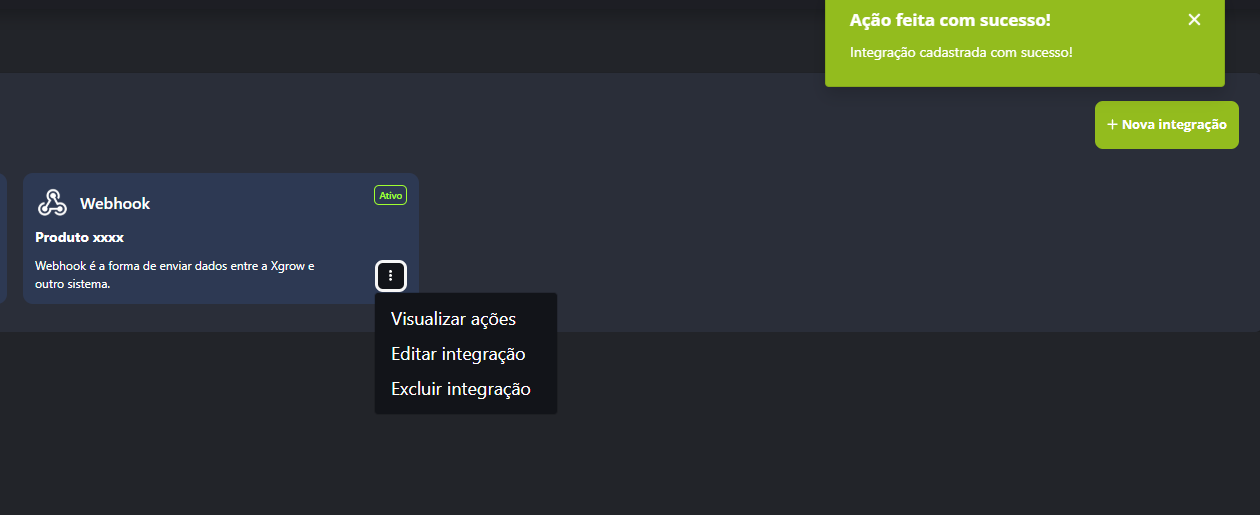
- After the integration is successfully registered, click "view actions".
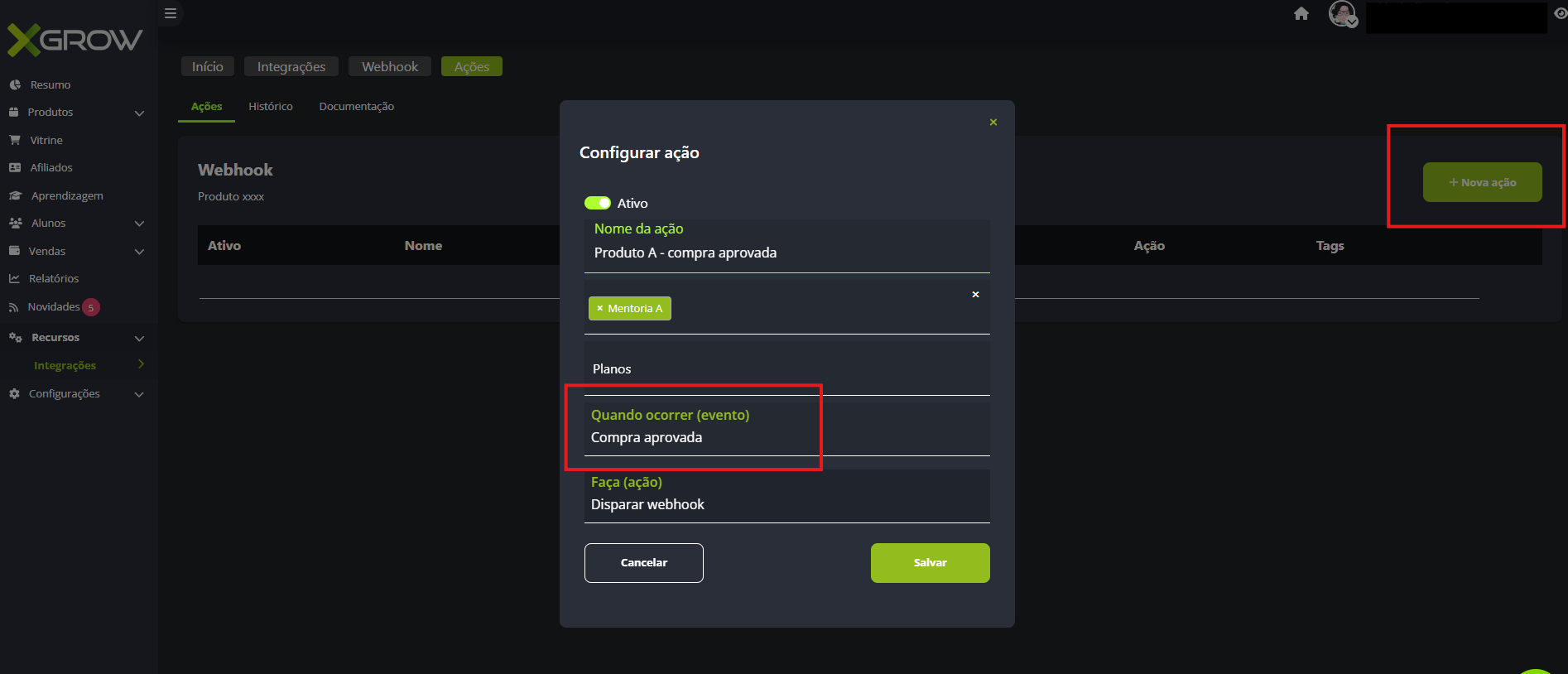
- In the panel, click "New action" in the top right corner.
When configuring the action, you must fill in:
- Action name: we suggest identifying it with the product name and event type, as shown in the example below;
- Product: select the product you are integrating (previously registered in Xgrow);
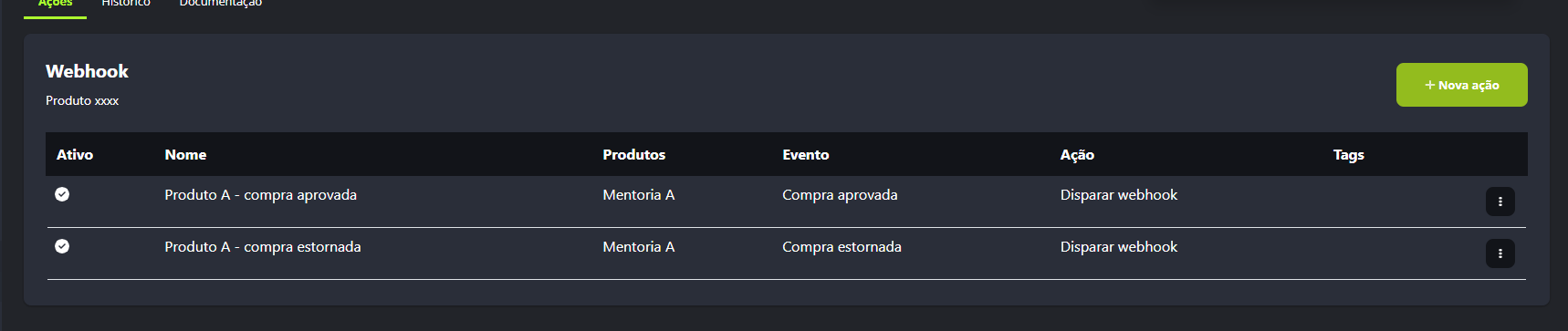
- Event: fill in with the action to be sent to Mentorfy; one action with the "approved purchase" event and another with the "reversed purchase" event are required;
- Plans: select the plan you are integrating;
- Action: "Trigger webhook"
- Your integration is complete. Repeat the entire process for each product you want to integrate with Xgrow.
Conclusion
Once you complete these steps, the integration will be complete and you will be able to see your customers in the journey and in your customer list in Mentorfy.
If you have any questions, contact our support via chat on the platform or by email at contato@mentorfy.io
For more information about webhooks in Xgrow, see the official documentation.