Say who looks after each group and who can see it
In Organize Team, you decide, all in one place, who on your team looks after each group and who can see each thing. Useful when each support person has their own set of clients.
Step by step
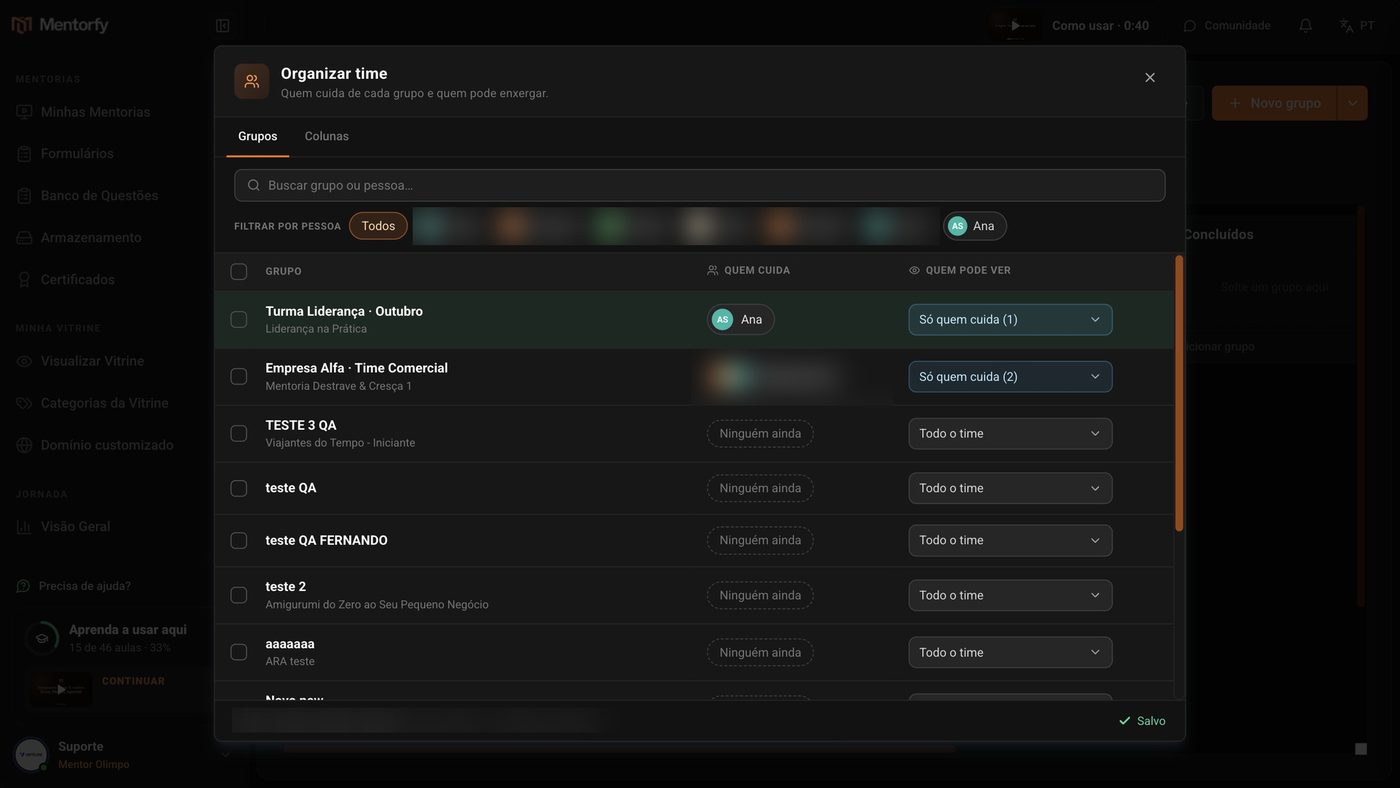
On the Groups board, click Organize Team.
In the Groups tab, click Who looks after it and pick the person.
It can be more than one. The person shows up on the group's card.
In Who can see it, choose: The whole team, Only who looks after it, or Pick people…
The change is saved right away: Saved shows at the bottom.
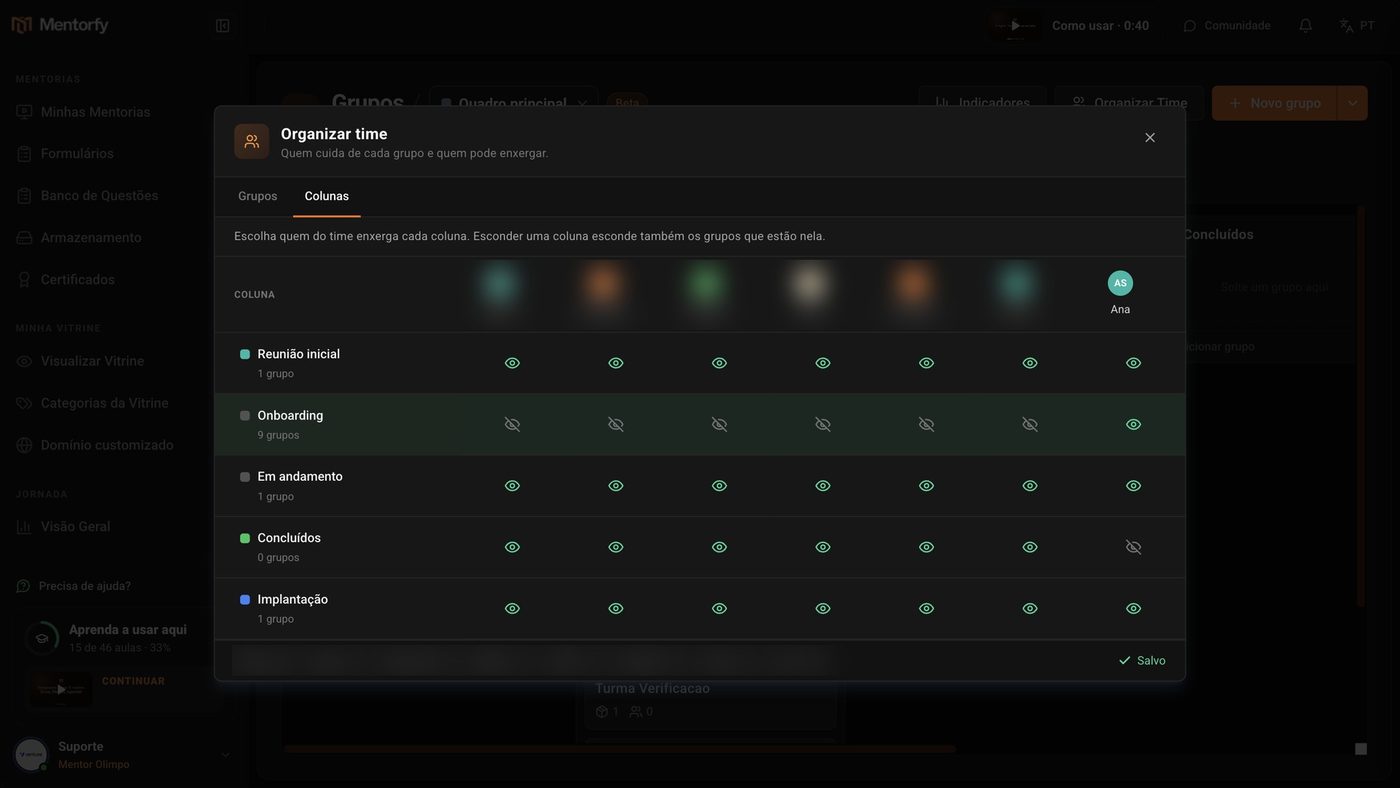
In the Columns tab, click the eye to show or hide a column for each person.
Hiding a column also hides the groups in it.
Good to know
To change several groups at once, check the box next to each one. A bar shows up with Who looks after it and Who can see it, which applies to all the checked ones.
You, the account owner, always see every group and every column. People with Edit on Groups also see every group.
Common questions
I chose "Only who looks after it", but nobody looks after the group yet. Who sees it?
The whole team. A group with nobody looking after it stays visible to everyone, so it doesn't disappear from the view of whoever needs to take it on. As soon as you pick who looks after it, only that person sees it.
I changed who looks after it. Do I need to change who can see it too?
No, if the group is set to Only who looks after it. That option follows the Who looks after it column on its own: whoever takes it on starts seeing it, and whoever left stops seeing it.
I left the group open to the whole team, but one person can't see it. Why?
Check the Columns tab. A person only sees a group if they can see the group and the column it's in. A hidden column hides its groups, even the ones open to everyone.
The Columns tab says I don't have permission.
Showing and hiding columns requires Edit on Groups. Ask the account owner to change your access in My team.