See your plan and your credits
In My Account, on the Subscription tab, you see everything about your account: the plan, how much you've used, your AI credits, and your add-ons.
Step by step
Click your name, at the bottom of the side menu, and then My Subscription.
The My Account screen opens on the Subscription tab.
In My plan, see your plan and how long it's valid.
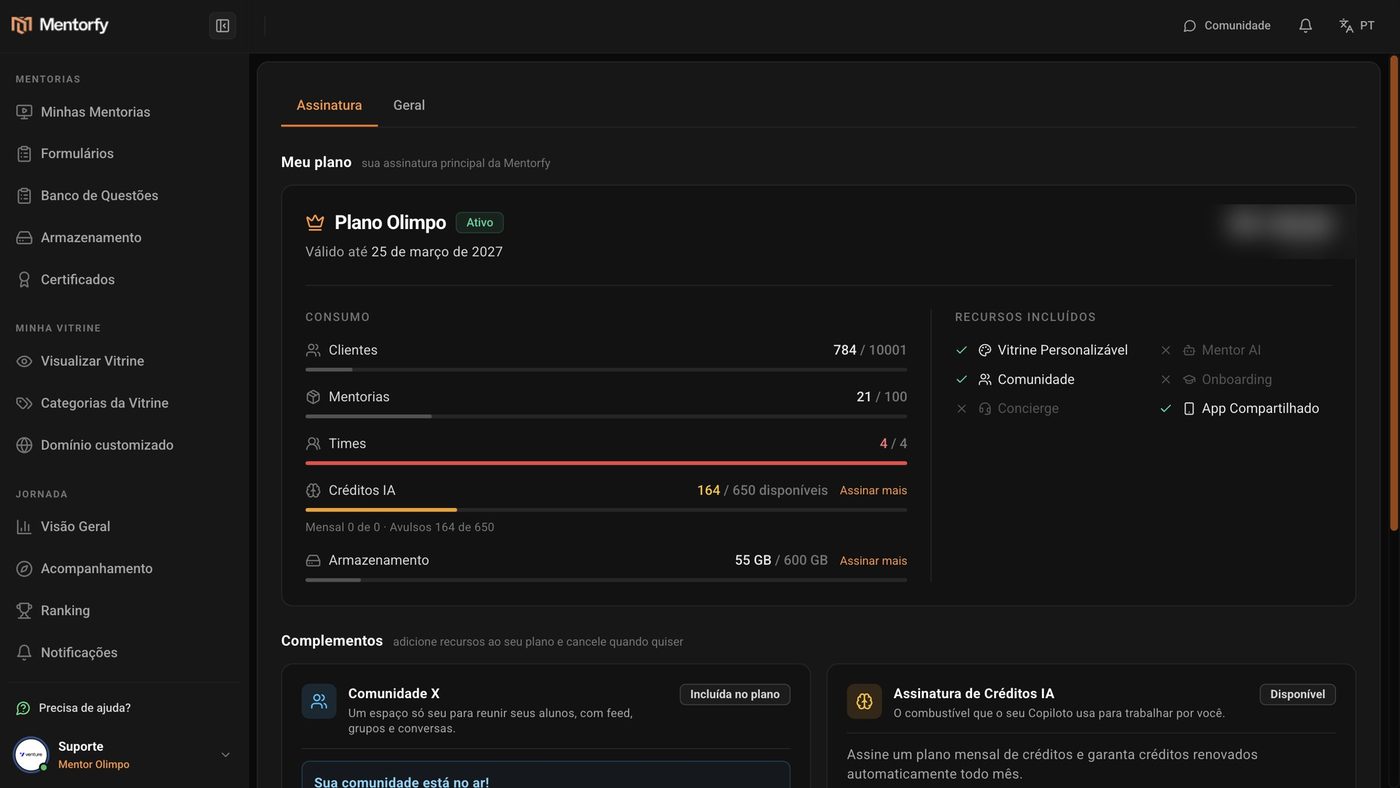
In Usage, check how many clients, mentorships, and teams you already use.
Each row shows what you use and your plan's limit.
In the AI Credits row, see how many credits you have left.
To get more, click Subscribe more.
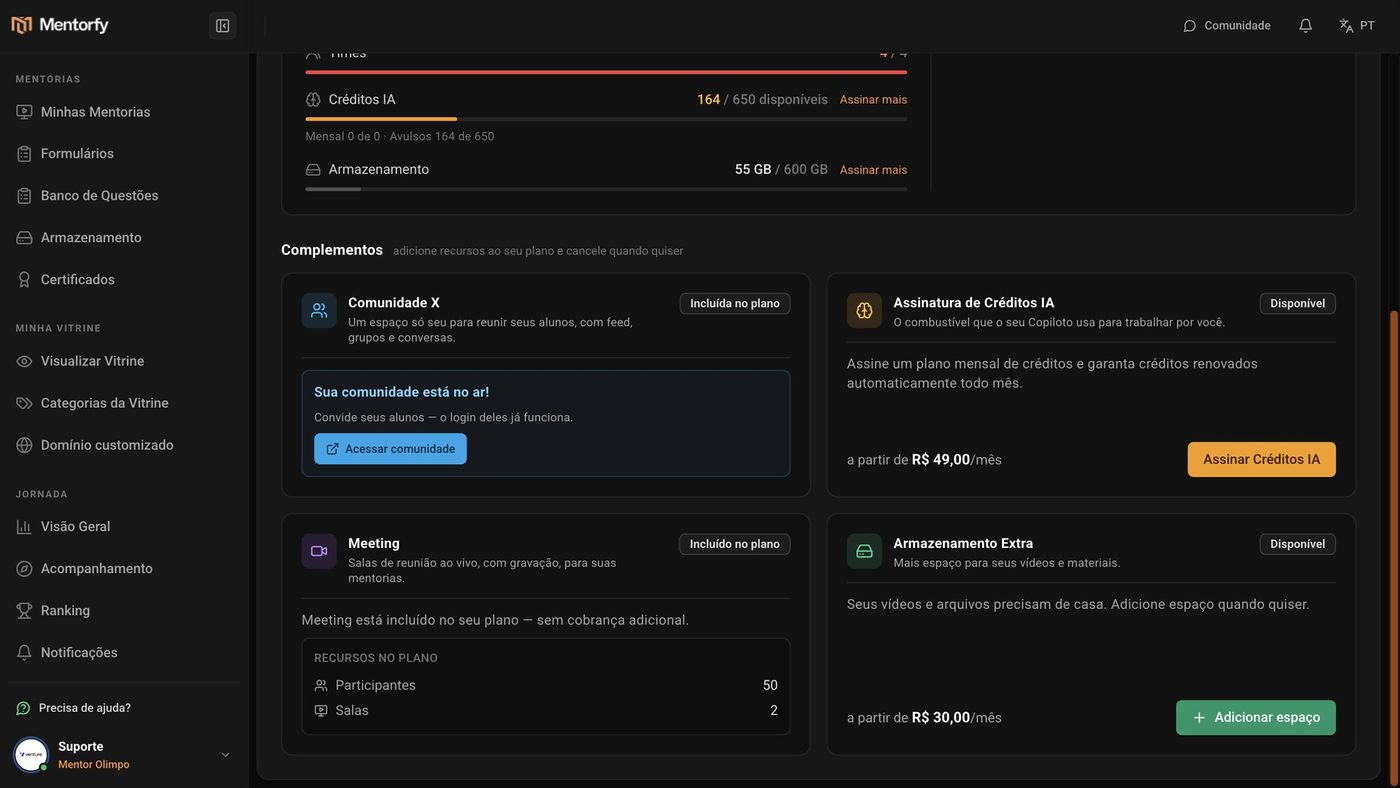
Scroll down to Add-ons to add features to your plan.
Good to know
The bar in each row turns yellow near the limit and red when it's almost used up. For credits, the color warns you when your balance is low.
During the trial, the 50 welcome credits show up as One-off, with a notice of how many days are left before they expire along with the trial.
Reference
What the Subscription tab shows
| Part of the screen | What it is |
|---|---|
| My plan | The plan name, whether it is Active, Free trial, or Expired, and Valid until. |
| Usage | Clients, Mentorings, and Teams: how much you use and your plan's limit. |
| AI Credits | How many credits are still available. Below: Monthly (renews every month) and One-off (extras). |
| Storage | How much space your videos and files take up. |
| Included Features | What the plan includes, like Custom Storefront and Community. |
| Add-ons | Extras you add to your plan and cancel whenever you want. |
Add-ons
| Add-on | What it's for |
|---|---|
| AI Credits Subscription | AI credits renewed every month. |
| Meeting | Live meeting rooms, with recording. Some plans already include it. |
| Extra Storage | More space for videos and materials. |
| Extra Mentoring | Create more mentorships beyond your plan's limit. |
| Community | A space to bring your students together, with a feed, groups, and conversations. |
Common questions
What uses AI credits?
AI Studio, video dubbing and, during the free trial, the Copilots. See the full table in How much it costs.
If I cancel the AI Credits Subscription, do I lose my credits right away?
No. The subscription stays active until the end of the current period. After that date, the monthly credits are not renewed.
How do I cancel Extra Storage?
This add-on is changed or canceled by the sales team. Click Talk to Sales, on the Extra Storage card.
My plan shows as Expired. What now?
Click Renew, on the plan card, to keep using all the features.
The help channels and what to send to get help fast.