Save ready-made questions for the Copilot
Always ask the Copilot the same questions? Save each one as a template and use it with one click, without typing everything again.
Step by step
In the corner of the message box, open the Template Library.
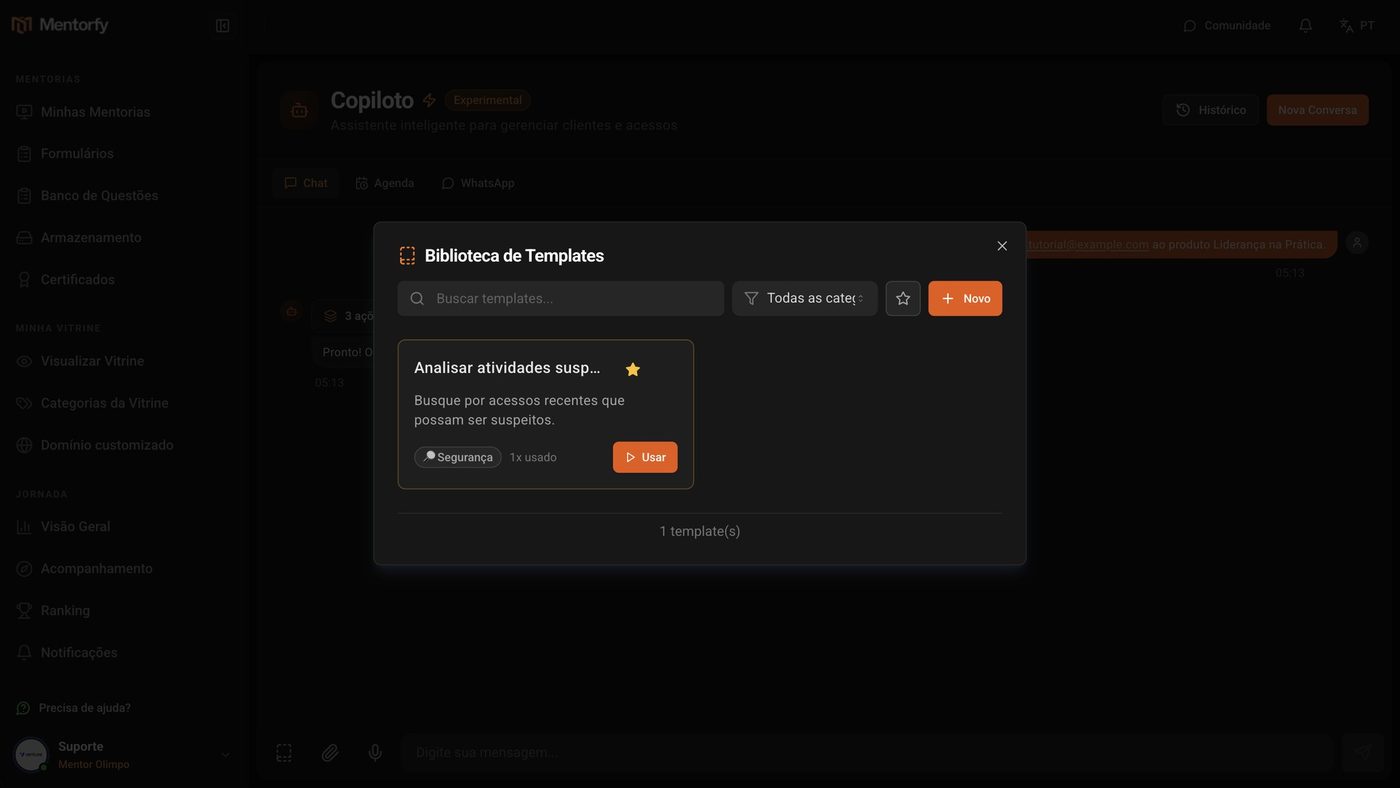
Click New.
Fill in the Title, write the question in Prompt, and pick a Category.
The category can be anything: for example, Clients, Products, or Reports.
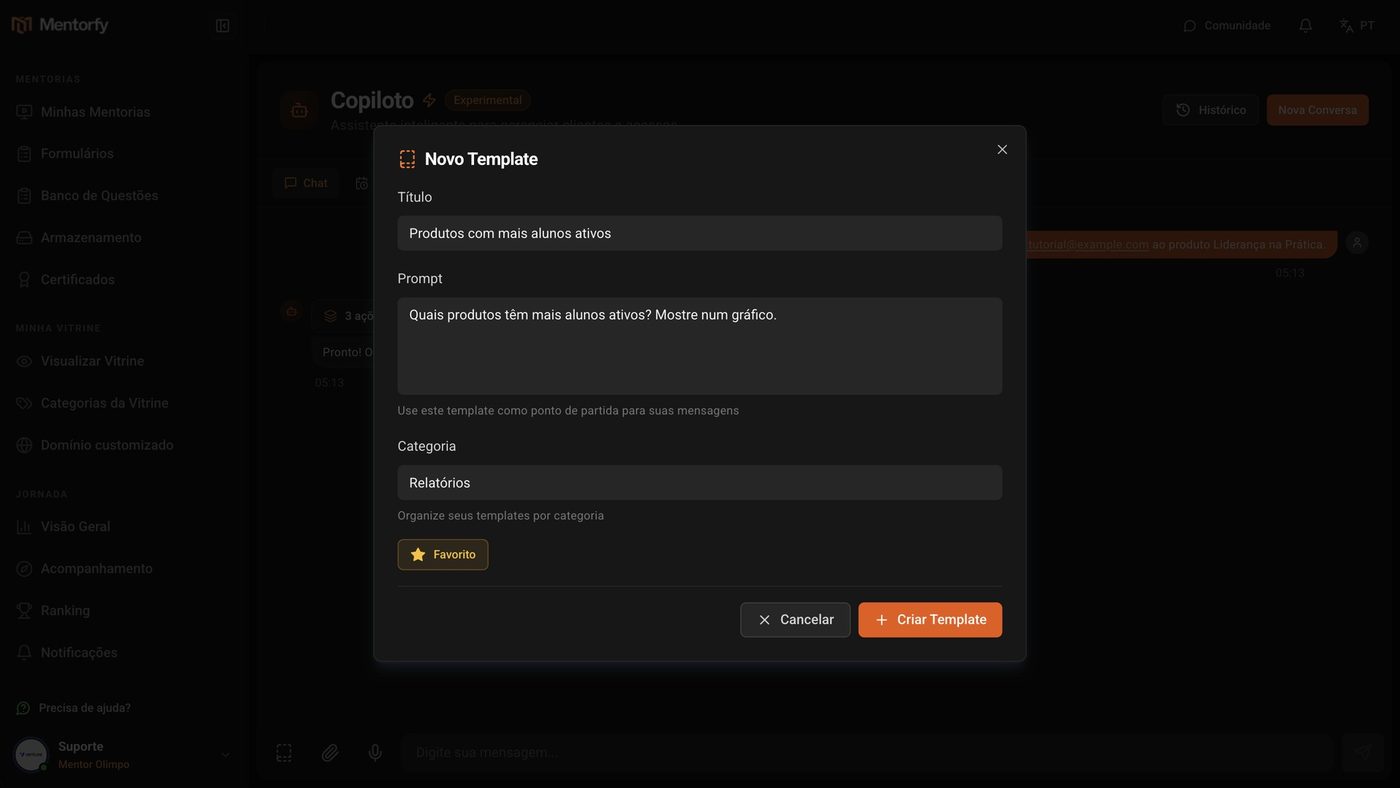
If you use it a lot, check Favorite. Then click Create Template.
When you need it, click Use.
The question already shows up written in the message box. Just send it.
Good to know
Leave the end of the question open so you can finish it on the spot. For example: "Look up information about the student: " and then paste the email.
Templates are yours alone: each mentor sees only the ones they created.
Common questions
How do I find a template among many?
In the Template Library, use Search templates..., filter by category in All categories, or by the star, to see only your favorites.
Can I change or delete a template?
Yes. On the template's card, use Edit or Delete.