Ask the Copilot how your students are doing
The Copilot knows your platform. Ask how your students, products, and access are doing, and it answers with data, in a chart.
Step by step
In the menu, open Copilot and then My Copilot.
To start fresh, click New Conversation.
Write your question, the way you'd say it to someone on your team.
For example: "Which products have the most active students? Show it in a chart."
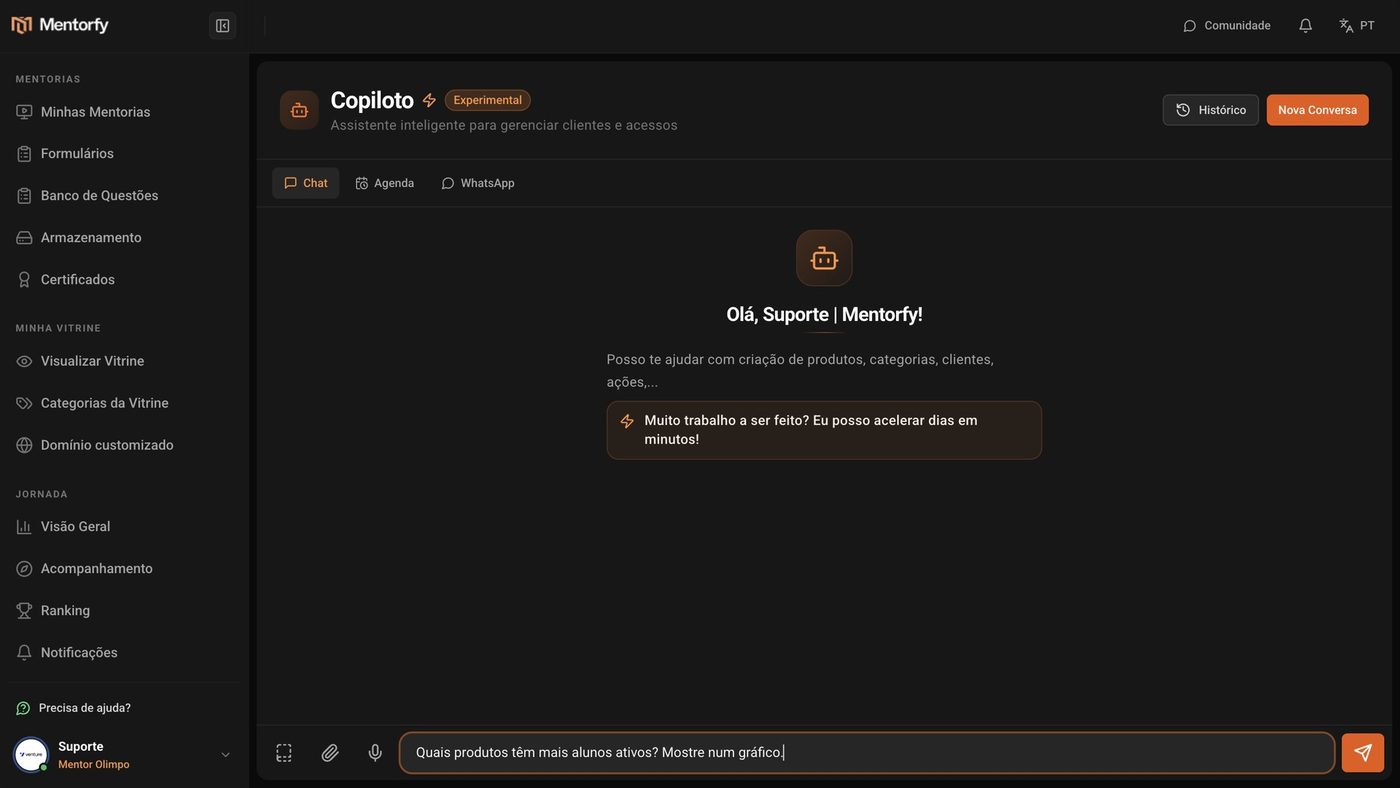
Click send.
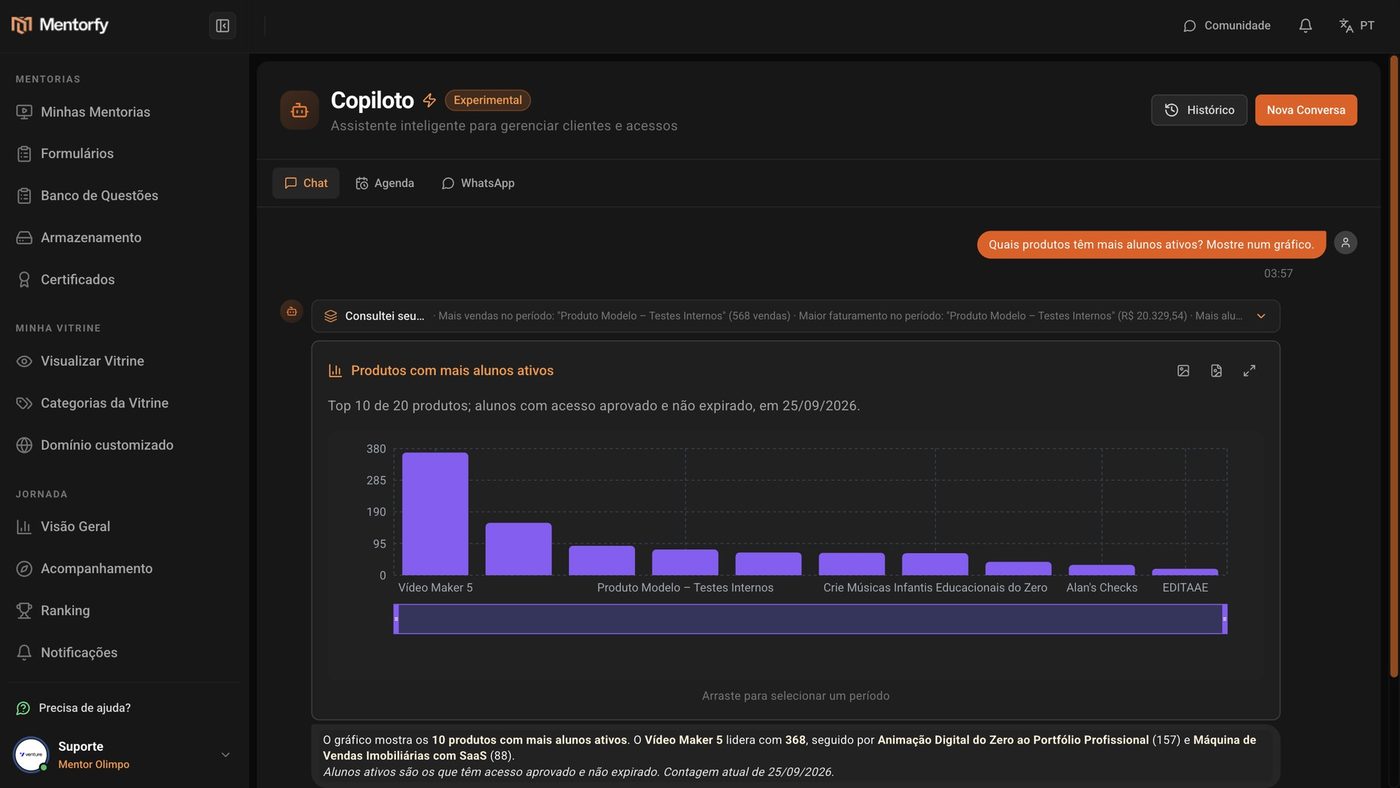
The Copilot looks up your data and analyzes it.
See the chart and read the summary at the end.
Good to know
Ask for one thing at a time. If the question is too long, the Copilot may stop with the message "Iteration limit reached". Split it into two questions.
On a paid plan, chatting with the Copilot doesn't use AI credits. During the trial period, each message uses 0.5 credit; if your balance runs out, the message box shows "You have no credits to send messages".
Common questions
How do I find an old conversation?
Click History. There you can search conversations, mark the ones you use most as Favorites, and organize them by Categories.
Does the Copilot only answer, or does it also do things?
It also does tasks for you, like renewing a student's access. See the next page.