Ask the Copilot and it does it for you
The Copilot doesn't just answer: it also does tasks for you, like giving or renewing a student's access. You ask in your own words, and it lets you know when it's done.
Step by step
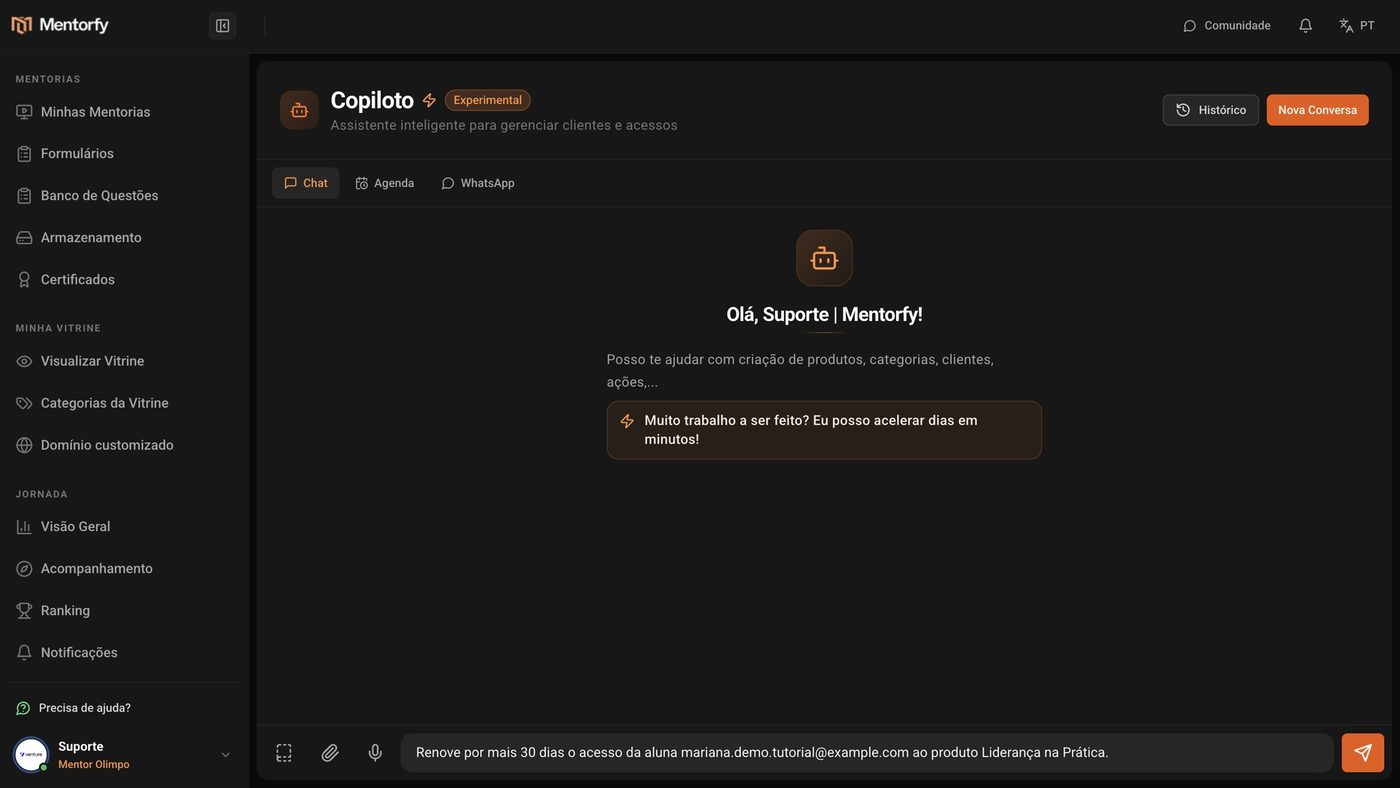
In My Copilot, write your request the way you'd say it to someone on your team, and send it.
Say who, what, and until when. For example: "Renew maria@exemplo.com's access to the Leadership in Practice product for 30 more days."
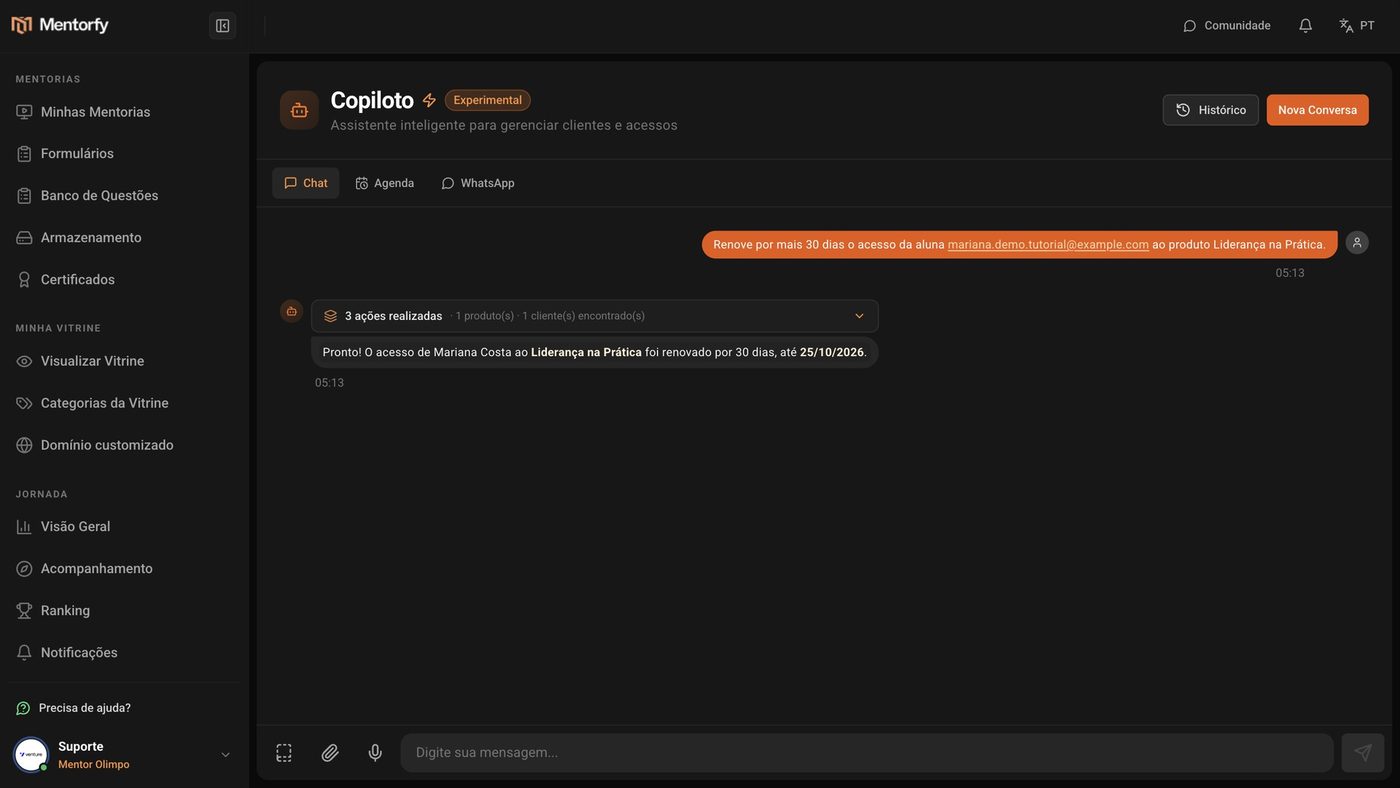
The Copilot finds the student and the product, does the task, and lets you know when it's done.
Check the result in My Clients.
The access is already valid until the new date.
Good to know
Giving or renewing access, sending a password reset, and logging a student out of their devices are done directly, without asking for confirmation. Check your request (name, email, product, and deadline) before sending it.
Before sending a WhatsApp message, merging duplicate accounts, or deleting something (like a module, a group, or a scheduled task), the Copilot shows an Approval required card. Nothing happens until you click Approve and run. To cancel, click Don't do it.
Reference
| What it can do | Asks for approval? |
|---|---|
| Look up students, products, access, and numbers | No (read only) |
| Give or renew access, send a password reset, log out devices | No, does it directly |
| Create or change products and modules | No, does it directly |
| Send a WhatsApp message | Yes |
| Merge duplicate accounts | Yes |
| Delete a module, step, group, or scheduled task, or remove students from a group | Yes |
Common questions
The approval card disappeared or says it expired.
An approval works only once and only for that data. If it expired, ask the Copilot to prepare the action again.
The Copilot did something wrong. How do I fix it?
Check the result on the right screen (for example, in My Clients) and fix it there, or ask the Copilot for the fix in a new message, like "set the student's access back to the previous date".
Does asking for tasks also use credits?
Not on a paid plan. During the trial period, each message uses 0.5 credit, whether it's a question or a request. The exception is sending a WhatsApp message through the Copilot: each send uses 0.5 credit on any plan.