Set limits and track Student Copilot usage
Control how much Student Copilot can be used and who it's available to, and track how your students use it.
Step by step
In Limits per Student, fill in the Daily Limit, the Weekly Limit, and the Monthly Limit.
It's the number of messages each student can send. Zero means no limit.
In Release Rules, choose after how many days from registration the assistant becomes available.
Use 0 to make it available right away.
If you want, check Release only for students with specific products and pick the products.
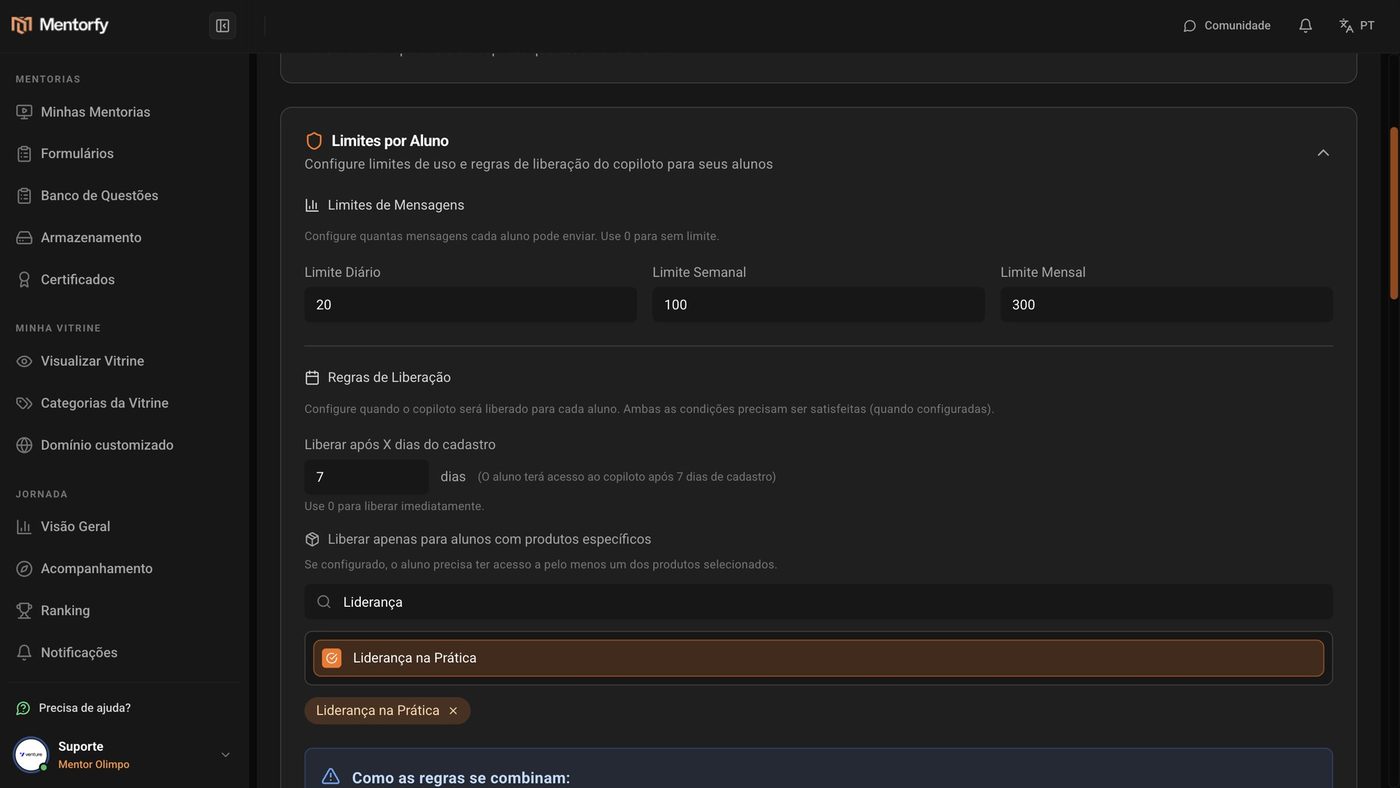
Check the summary in How rules combine and click Save.
When you use both rules, the student has to meet both.
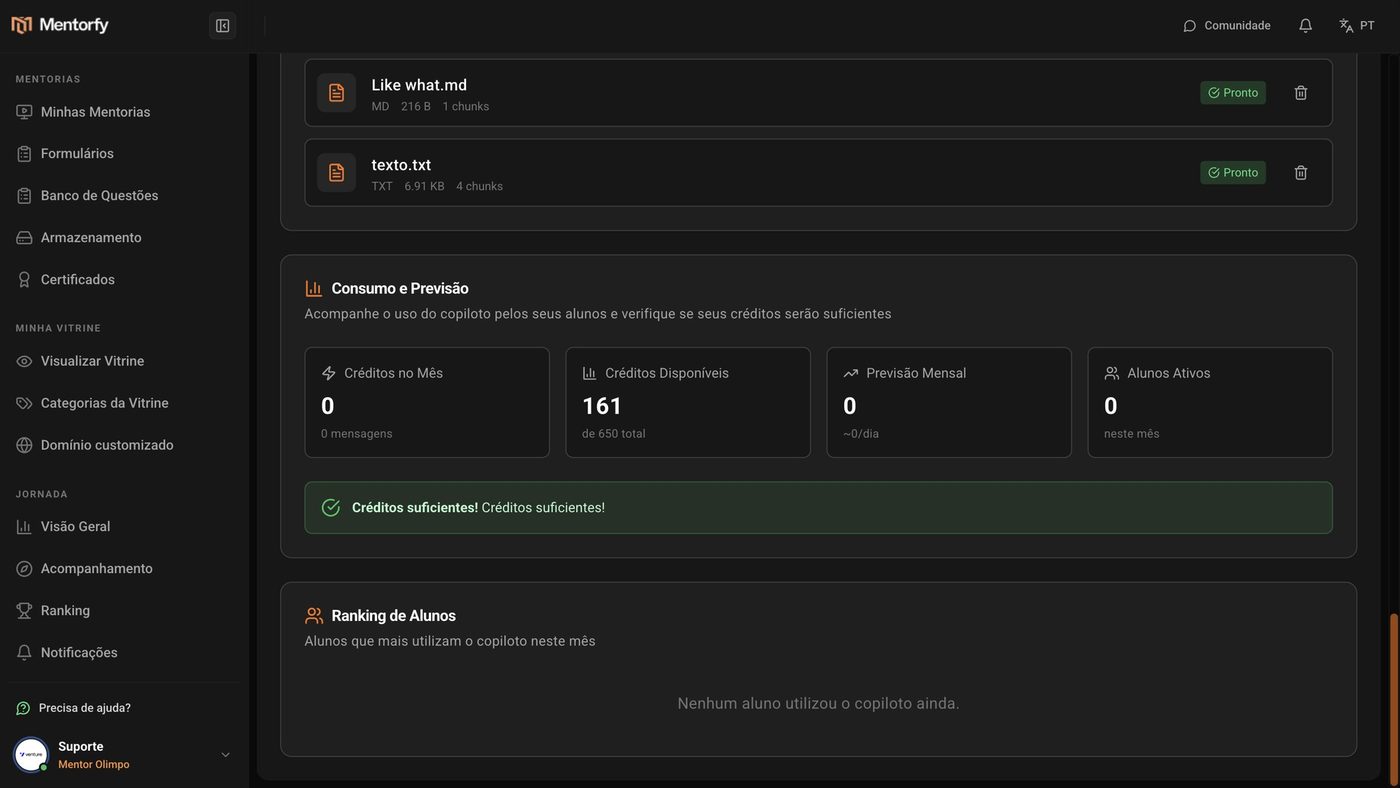
Track spending in Usage & Forecast.
See the credits used this month, how many are left, and the forecast. The Student Ranking shows who uses it most.
Good to know
On a paid plan, student messages don't use credits. During the trial period, each student message uses 0.35 AI credit from your account.
If Warning! shows up in Usage & Forecast, your credits may run out before the end of the month. Lower the per-student limits or buy more credits in My Account. With no credits available, you can't turn on the assistant.
Reference
| Setting | How it works |
|---|---|
| Daily / Weekly / Monthly Limit | Messages per student in each period. 0 = no limit |
| Release after X days of registration | The student can only use it after that number of days. 0 = right away |
| Release only for students with specific products | The student needs access to at least one of the chosen products |
| Both rules together | The student has to meet both |
What the student sees when they hit a rule:
| Situation | Message to the student |
|---|---|
| Went over the daily limit | "You've reached the daily limit of … messages. Try again tomorrow." |
| Went over the weekly or monthly limit | A similar message, asking them to try again next week or next month |
| Doesn't have enough days since registration yet | "The copilot will be available in … days." |
| Doesn't have the required product | "You need access to a specific product to use the copilot." |
Common questions
What happens if my credits run out?
During the trial period, the assistant stops answering students until you have credits again. On any plan, with no credits available, you can't turn on the assistant. Buy more in My Account.
The ranking is empty.
It only shows students once they start using the assistant. Until then, it shows "No students have used the copilot yet."
I changed the limits and nothing changed.
Check that you clicked Save, in the top corner. Without saving, your changes are lost when you leave the page.