Turn your lesson material into a podcast
Turn your lesson material into a podcast, with narrators talking to each other. AI writes the script for you, and you can adjust each line before generating the audio.
Step by step
In AI Studio, open the Podcast tab and leave AI Generates the Script selected.
In Reference material, upload the lesson file and write the topic.
PDF, Word (DOCX), TXT, or MD all work, and more than one file too. The topic goes in Topic or additional context.
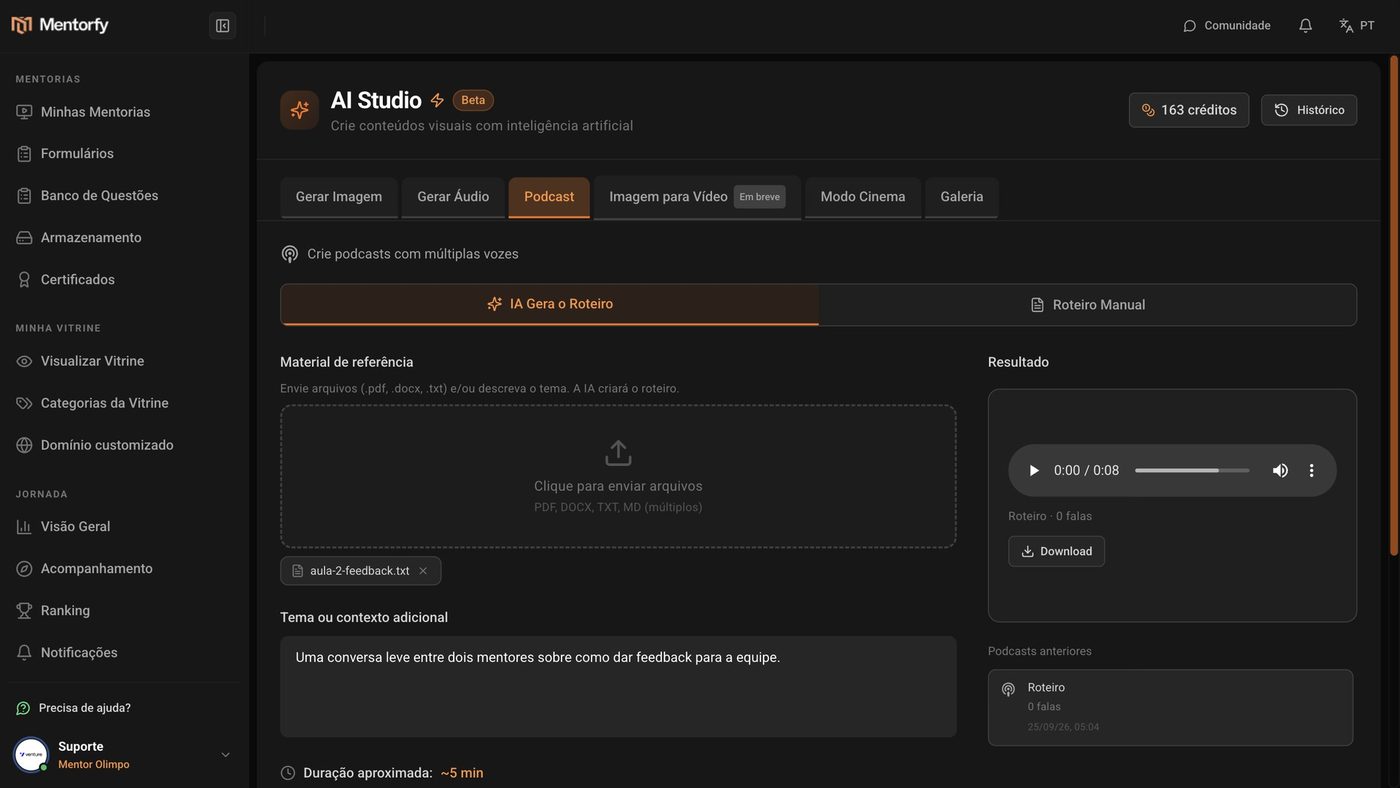
Pick the length, the Podcast sentiment, and the Narrators.
The length goes from 1 to 30 minutes. With Add Narrator, you add more voices.
Click Generate Script with AI.
Before generating the audio, you can read and adjust each line.
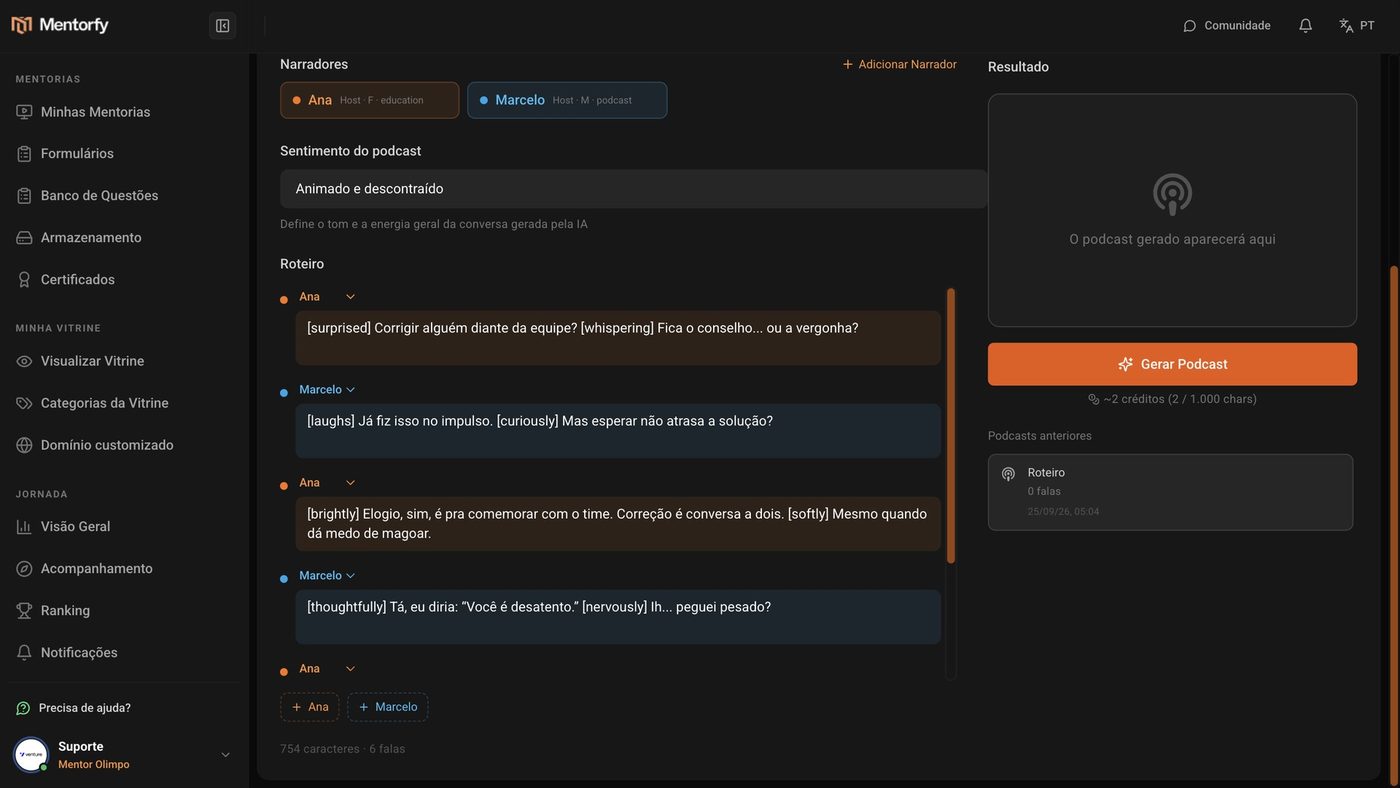
Click Generate Podcast.
Done: the audio is ready to listen to and to save with Download.
Good to know
The podcast audio costs 2 credits for every 1,000 characters of the script (minimum of 2 credits). The longer the script, the higher the cost.
Already have the text ready? Choose Manual Script and write the lines yourself.
Common questions
It said "Add files or describe the topic."
AI needs a starting point. Upload at least one file or write the topic.
One line sounds odd. Do I need to generate everything again?
No. Edit the line right in the script before clicking Generate Podcast. The AI button next to the line makes the text sound more natural.
Where do I find my old podcasts?
In Previous podcasts, on the Podcast tab itself.