Turn text into narration with AI
In AI Studio, you turn text into narration. It's great for a lesson intro or a notice to your students.
Step by step
In AI Studio, open the Generate Audio tab, in Text to Voice.
In the Text field, write what you want narrated.
Use punctuation: commas and periods become pauses and make the speech sound more natural.
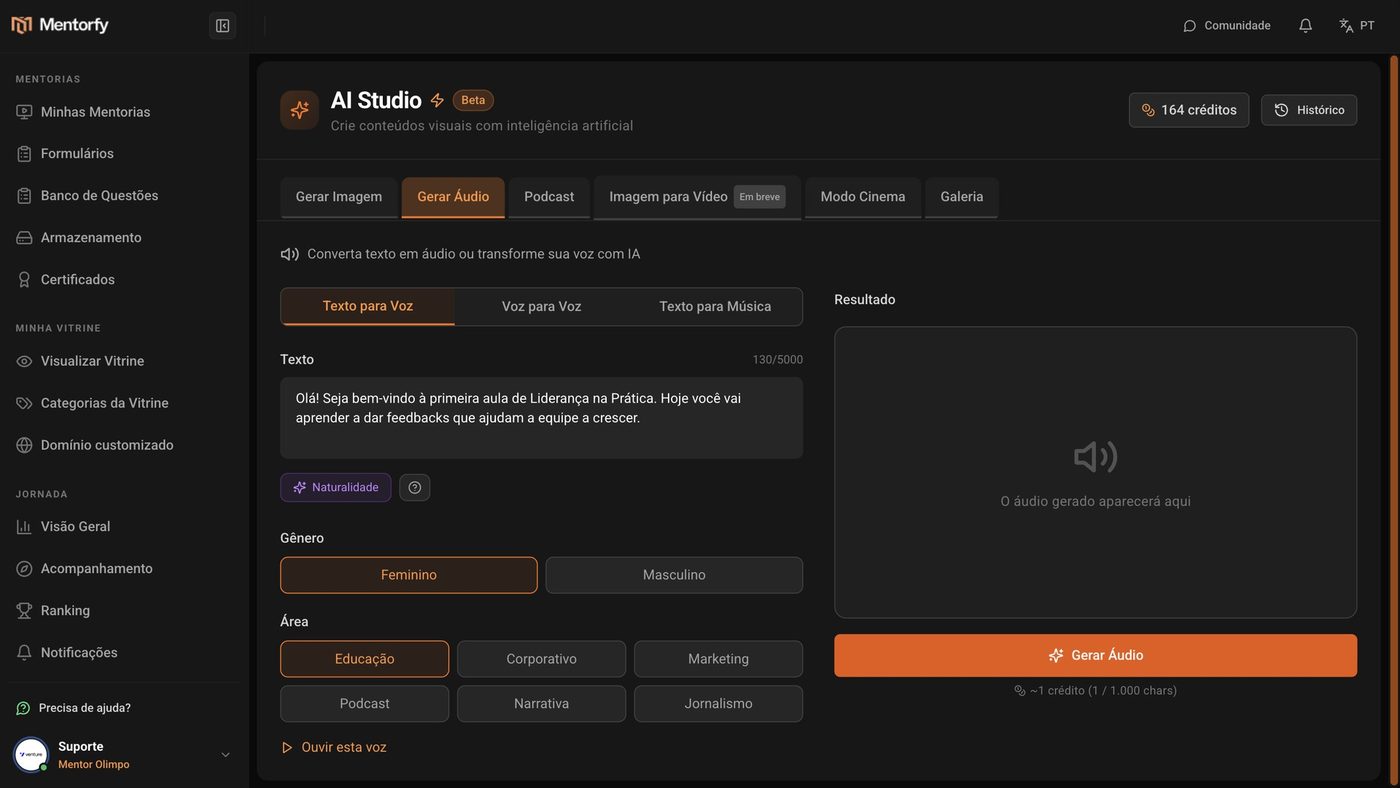
Pick the voice's Gender and Area.
With Listen to this voice, you hear it before generating.
Click Generate Audio.
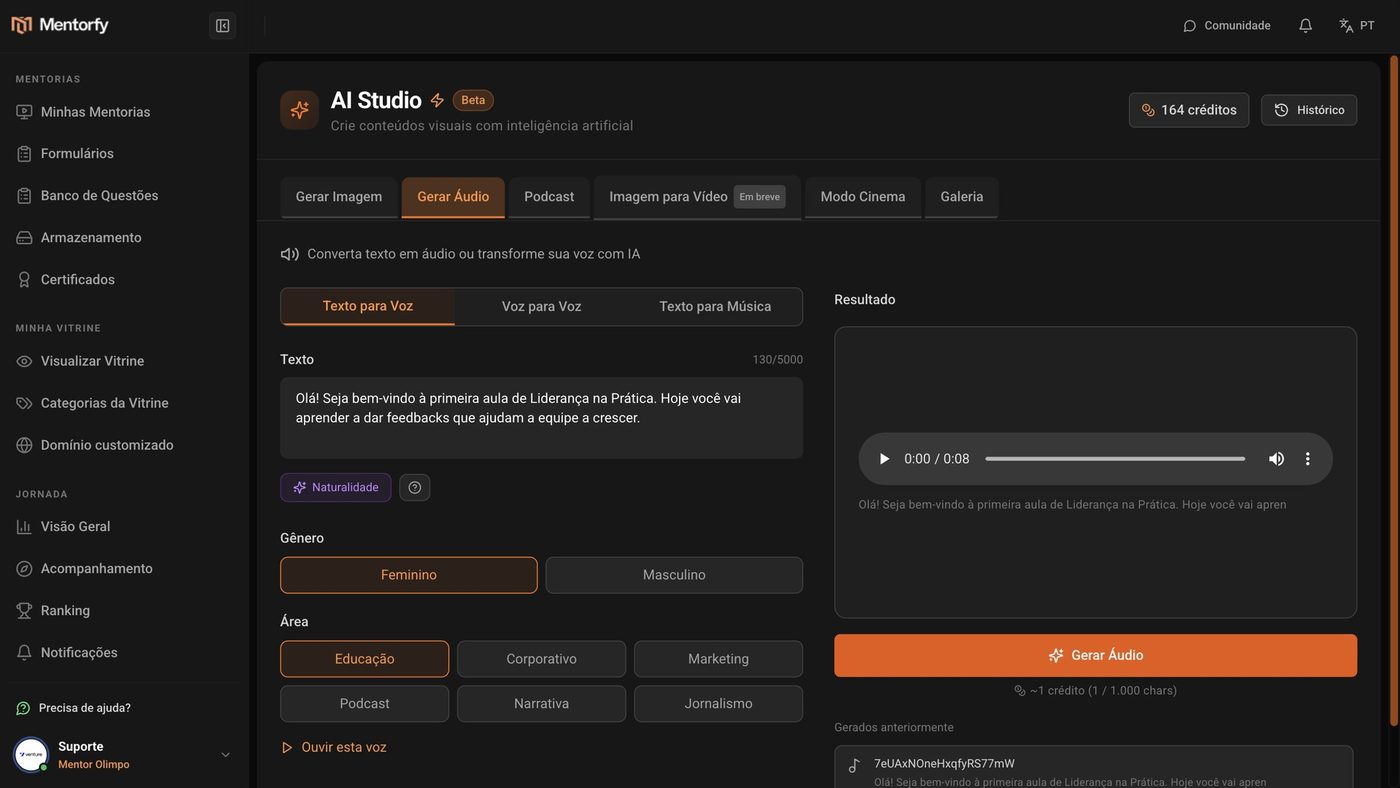
In a few seconds, the narration is ready to listen to.
Good to know
It costs 1 credit for every 1,000 characters, rounded up (minimum of 1 credit). The estimate shows below the button.
Click Naturalness before generating: the AI adds pauses, emotion, and emphasis to your text, and the narration sounds more natural.
Reference
| Item | Details |
|---|---|
| Text | Up to 5,000 characters per audio |
| Gender | Female or Male |
| Area | Education, Corporate, Marketing, Podcast, Narrative, News |
| Cost | 1 credit for every 1,000 characters (minimum 1) |
Common questions
My text is longer than 5,000 characters.
Split it into parts and generate one audio for each part.
Where do I find the audio I've already generated?
Right below the result, in Previously generated, and in the Gallery tab.