Use your own domain
With your own domain, the showcase and the student area live at your address, with your brand. A domain is your website's address, like myschool.com. The platform guides you step by step.
Step by step
In the menu, open Custom Domain and click Connect my domain.
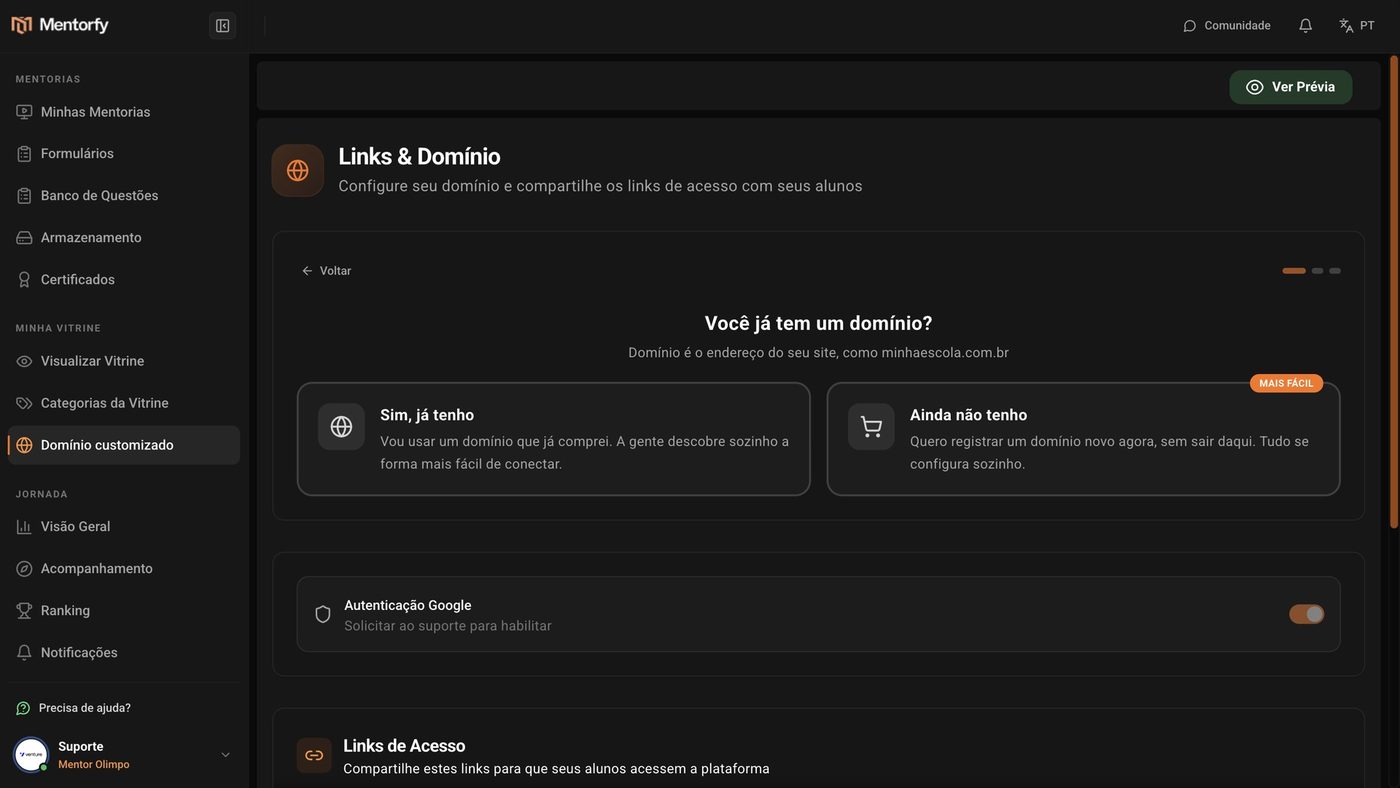
Say whether you already have a domain.
Choose Yes, I have one. If you don't have one yet, Not yet registers a new one without leaving the platform.
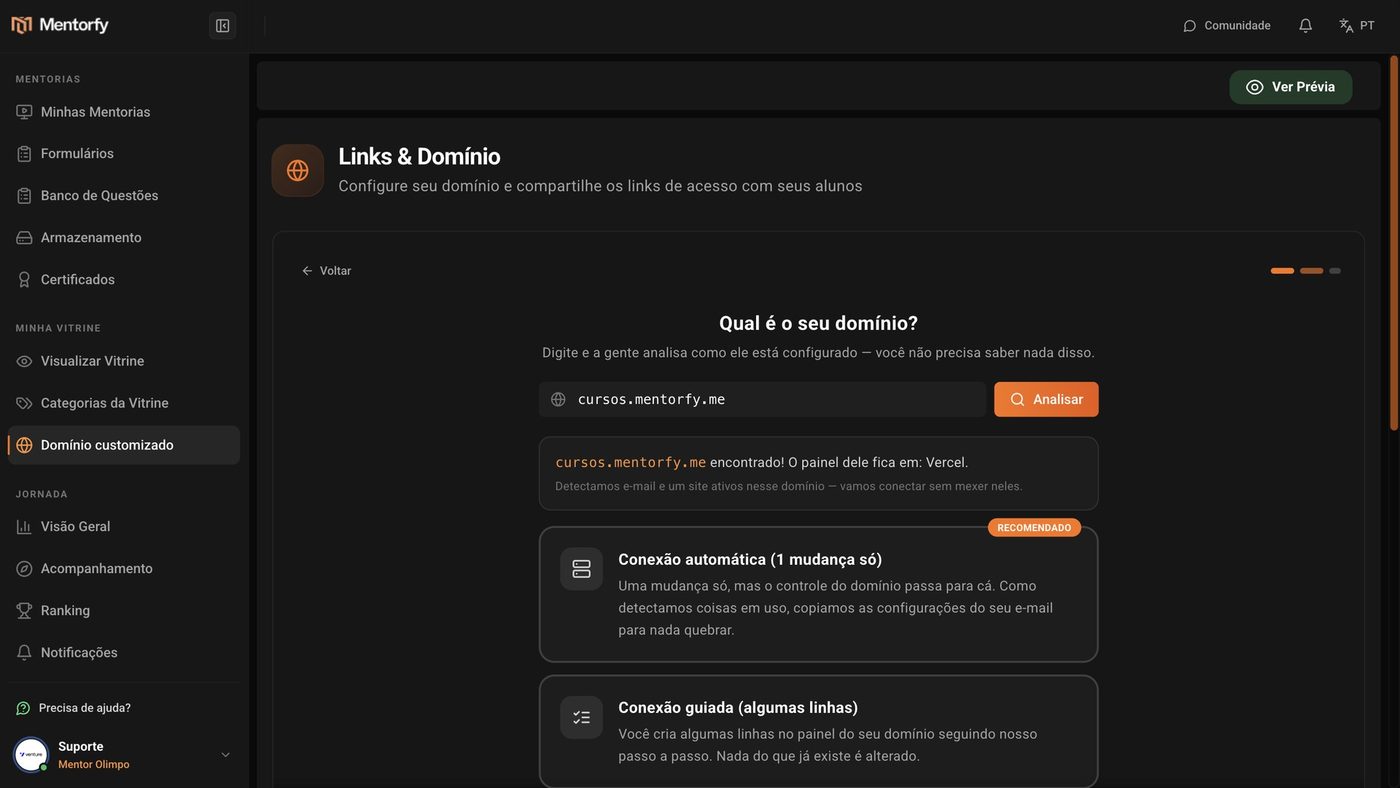
Type your domain and click Analyze.
The platform finds out where it is set up and whether there is already a website or email working on it.
Choose how to connect.
Automatic connection (1 change only) or Guided connection (a few lines). See the difference in Reference.
Make the change in the panel where you bought the domain.
The screen shows what to copy and paste, with the step by step for your provider. The platform checks by itself every 30 seconds.
Done: your domain is live.
Website and security certificate working. If you want, click Turn on email on my domain so students get emails from your address.
Good to know
The change can take from a few minutes up to 24 hours to work across the whole internet (usually less than 1 hour). You can close the screen: the platform keeps checking and lets you know by email when it's live.
Once connected, the address starts showing your showcase. The analysis warns you when it finds a website or email in use.
Reference
| How to connect | How it works |
|---|---|
| Automatic connection (1 change only) | You change a single setting (the "DNS servers") on the site where you bought the domain. Website, certificate, and email set themselves up. Control of the domain moves to Mentorfy |
| Guided connection (a few lines) | You create a few lines in your domain's panel, following the step by step. Nothing that already exists is changed |
Common questions
I use Cloudflare. Is there anything to watch out for?
Yes. On the website lines, keep the orange cloud turned off (gray, "DNS only"). With it on, the security certificate doesn't work.
I want a .com.br domain. Can I register it here?
Not yet. Register it at registro.br (it takes about 10 minutes), then come back and choose Yes, I have one.
I got "This domain is already connected to another mentor's account".
The domain is linked to another Mentorfy account. If it's yours, contact support: Support.
What happens if I disconnect the domain?
The showcase goes back to using Mentorfy's default address. You can connect it again whenever you want.